
The Help Desk Is the New Perimeter: How a Phone Call Beats Your MFA Investment

MFA is a powerful security control, but it cannot protect an account if someone persuades the help desk to reset it, enroll a new device, or remove the protection altogether.
That is why the service desk has become a high-value target. A caller who sounds convincing, knows basic details about an employee, and creates a sense of urgency may be able to turn a routine support request into an account takeover.
The lesson is not to distrust every employee who needs help. It is to treat account recovery as a security-sensitive operation, with its own verification and approval process.
HOW THE ATTACK WORKS
Attackers may gather employee names, job titles, reporting relationships, and other context from company websites, social media, and previously exposed data. Then they call the help desk pretending to be an employee who has lost access, replaced a phone, or needs an urgent reset.
The requested action might sound ordinary:
- Reset a password or issue a temporary one.
- Remove an old MFA method.
- Enroll a new phone or authenticator.
- Change recovery information.
- Make an exception because the employee cannot use their usual device.
The caller may be patient and persuasive, or insist that a business-critical task is blocked. Voice-cloning tools can add another layer of impersonation risk, but sophisticated technology is not required. A plausible story and a weak verification process may be enough.
The FBI and CISA’s Scattered Spider advisory describes threat actors impersonating employees to persuade help-desk personnel to reset passwords or transfer MFA tokens. The advisory also details repeated MFA prompts, often called MFA fatigue or push bombing, as a related tactic. Once attackers control an account, they may use it to access single sign-on (SSO), business applications, email, or sensitive data.
MFA does not fail only when someone breaks the technology. It can fail when an attacker convinces a person to change the account’s trusted access.
MFA FATIGUE MAKES THE PRESSURE WORSE
In an MFA fatigue attack, an attacker sends repeated authentication prompts to a user, hoping they will approve one just to stop the interruptions. They may pair those prompts with a help-desk call: “I’m locked out, please remove the old MFA so I can get back to work.”
These are distinct but complementary routes to account access. In one, the employee is pressured to approve an unexpected prompt. In the other, a support agent is persuaded to change the account’s authentication settings.

Organizations should make one rule unmistakable: never approve an MFA prompt you did not initiate. Employees also need a fast, well-known way to report repeated prompts. If they cannot reach support quickly, they may be more likely to approve one simply to make the alerts stop.
Where practical, use phishing-resistant MFA, such as FIDO/WebAuthn security keys or passkeys, for administrators and other high-impact accounts. CISA identifies phishing-resistant MFA as a mitigation against Scattered Spider techniques, including push bombing and SIM-swap attacks. See its MFA guidance for further recommendations.
MAKE PASSWORD AND MFA RESETS HIGH-ASSURANCE
A password reset, MFA reset, or new-device enrollment changes how someone gets into an account. Treat these requests like privileged operations, not routine customer service.
Build a documented process that agents can follow consistently:
- Call back using a trusted number already on file. Do not call a number supplied during the request or rely on caller ID to establish identity. If the employee cannot answer the registered number, pause and use an approved escalation path.
- Use a second verification method for high-risk requests. Require an additional established channel, such as confirmation through a managed device or an identity-verification workflow already tied to the account. Avoid knowledge-based questions whose answers may be available online or in breached data.
- Require approval for sensitive changes. For privileged users, finance staff, executives, and other high-impact accounts, require manager, system-owner, or security-team attestation before resetting MFA or changing recovery details.
- Separate password resets from MFA changes. Do not let one call trigger a password reset, removal of the existing factor, and enrollment of a new one without heightened review.
- Record and review the exception. Document what changed, who approved it, what verification was completed, and why the request was made. Set a clear expiration for temporary access.
- Make “stop and escalate” an acceptable outcome. An agent should not be penalized for delaying a request when identity cannot be verified. Urgency is a reason to follow the procedure, not skip it.

The HHS Health Sector Cybersecurity Coordination Center’s help-desk social engineering alert describes a campaign involving callers who used personal and organizational details to persuade help-desk personnel to enroll new MFA devices. Its recommendations reinforce a practical point: verify through a trusted channel, especially when resetting credentials or registering a new device.
REDUCE WHAT THE HELP DESK CAN CHANGE
Strong procedures matter, but access design matters too. Help-desk staff need the ability to resolve legitimate issues; they do not all need unlimited authority to change authentication settings for every account.
Right-size permissions so that:
- Agents can perform standard support tasks, but high-impact identity changes require elevated approval.
- Privileged and executive accounts follow stricter reset procedures.
- Administrative permissions are assigned only when needed and reviewed regularly.
- MFA removal, new-factor enrollment, recovery-information changes, and unusual reset volumes generate alerts.
- Ticket records capture the requested change, verification steps, approvals, and outcome.
Monitor identity events alongside the support ticket. A reset may look normal in isolation; a reset followed by a new device, an unfamiliar location, or unusual application access may tell a different story.
HELP DESKS AT MSPs NEED THE SAME DEFENSE
Managed service providers face this risk on behalf of many clients. An attacker who successfully impersonates one customer’s employee may try to use the provider’s support relationship to gain access to that customer’s environment, or probe the provider’s process for weaknesses.
MSPs should establish clear identity-verification standards across their service desks, not rely on individual agents to improvise. That includes maintaining trusted contacts for each client, using documented escalation and approval paths, limiting technician privileges by customer and task, and logging sensitive changes in a way that can be reviewed.
Client organizations should also know how their provider handles password resets, MFA changes, emergency access, and requests involving privileged accounts. Agree on who can authorize sensitive actions and how that authorization will be verified. Before an urgent call arrives.
WATCH FOR THE SIGNALS AFTER A RESET
A reset is not always a sign of compromise. But certain patterns deserve prompt investigation:
- A sudden increase in password or MFA reset requests.
- Multiple requests involving one employee or a privileged account.
- MFA removal followed quickly by enrollment of an unfamiliar device.
- A reset outside normal working hours or from an unusual location.
- New sign-ins, recovery changes, or access to sensitive applications immediately after a reset.
- Repeated MFA prompts reported by a user who did not initiate them.
If a change looks suspicious, follow your incident-response process. Review the help-desk ticket and relevant identity logs, confirm the request with the employee through a trusted channel, and escalate for investigation. Depending on the evidence, response may include revoking sessions, removing an unauthorized MFA method, resetting credentials, and reviewing what the account accessed.
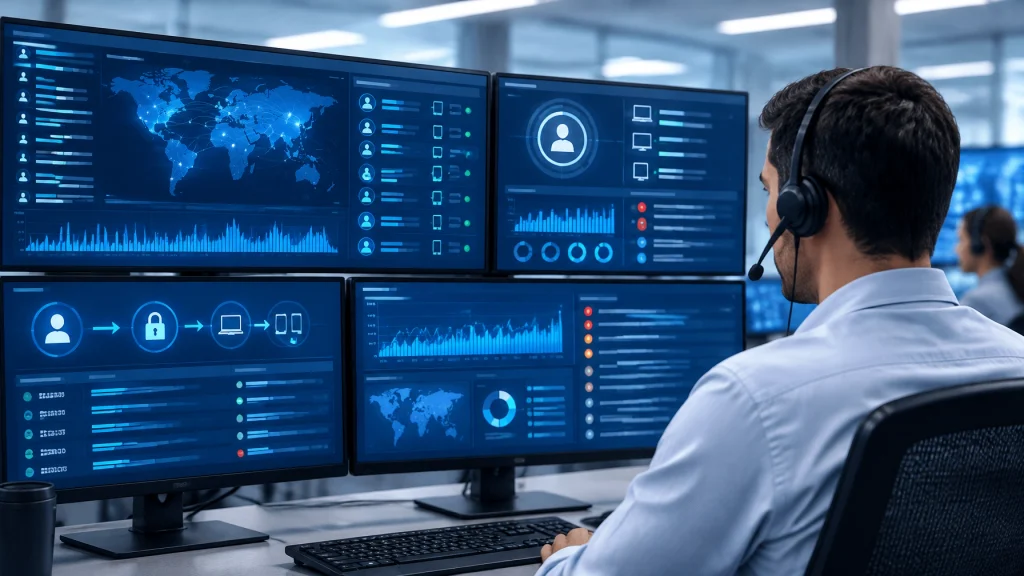
MAKE THE HELP DESK PART OF YOUR SECURITY PERIMETER
The help desk is designed to restore access quickly. Attackers know that, and may target the very process built to help employees get back to work.
Protect that process with out-of-band verification, stronger approval for high-risk requests, least-privilege access, and monitoring for unusual identity changes. Make it easy for employees and agents to report suspicious requests, and test the reset procedure before a real attacker does.
Cenova Cyber’s managed cybersecurity services combine risk-based security support with a US-based 24/7 SOC. Our security monitoring service collects and analyzes telemetry from identity systems, endpoints, cloud platforms, and networks so analysts can investigate suspicious activity. Explore Cenova Cyber’s managed cybersecurity services to see how ongoing monitoring can support your security program.
Contact Cenova Cyber today to discuss a free consultation and strengthen the identity controls your help desk depends on.