
79% of Former Employees Still Have Access: The Orphaned Accounts Nobody Turned Off

An employee turns in a laptop, hands over a badge, and leaves the company. But what happens to their email, VPN, cloud apps, shared drives, vendor portals, API keys, and other credentials?
Too often, those doors stay open.
A 2026 Sagiss survey found that 79% of former employees said at least one work account or access point still worked after their last day. Nearly half-44%, reported that three or more remained active. The figures are a warning that offboarding is not just an HR formality. It is a critical identity-security event.
THE NUMBERS SIGNAL A PROCESS PROBLEM
Several 2026 reports point to weaknesses in offboarding and identity lifecycle management:
- 79% of surveyed former employees said at least one work account or access point remained usable after they left; 44% said three or more did. The Sagiss survey questioned 1,000 U.S. adults in September 2026 who had left a computer- or systems-based job within the previous five years. These are self-reported, retrospective responses, not a census of all former employees or a direct audit of company systems.
- 40% of accounts in applications analyzed for Orchid Security’s 2026 Identity Gap report were classified as orphaned because the users no longer appeared in HR systems. The finding is based on anonymized application telemetry from April 2025 through March 2026-not a representative count of all accounts at all enterprises.
- 90% of organizations assessed had enabled inactive user accounts, with a median of 607 such accounts per organization, according to Lepide’s 2026 identity and data security research. These are assessment findings; they should not be interpreted as a census-based industry prevalence estimate. Also, “inactive” is not automatically the same as “orphaned.”
- 82% of respondents whose employer collected their equipment still reported at least one account or access point working afterward, according to Sagiss. Hardware recovery is not proof that digital access was revoked.
- 18% of enterprises surveyed by BetterCloud reported a data breach in the preceding 12 months involving an un-offboarded former user, while only 27% automated offboarding. See BetterCloud’s 2026 report summary. These are vendor-reported survey figures, not a universal breach rate or independently verified count of all incidents.
- 33% of Sagiss respondents said it was unclear who was responsible for shutting off their access, or that nobody seemed to be handling it.
These results come from different vendor surveys, assessments, and application telemetry, with different populations and definitions. They are directional indicators, not directly comparable measurements. They cannot be combined into a single estimate of how many organizations, or accounts, are exposed. What they consistently suggest is a practical issue: access can outlive the person it was issued to.
WHY FORMER-EMPLOYEE ACCOUNTS ARE A SECURITY RISK
An orphaned account is an account without a current, confirmed owner. A dormant account is one that has not been used for a defined period. The terms overlap, but they are not interchangeable: an account may be dormant but still legitimately needed, or orphaned and actively used.
Either can create risk if it remains enabled without a valid business purpose. Attackers often seek valid credentials and overlooked access paths because using an existing account can be less conspicuous than exploiting a technical vulnerability. A former employee’s account may receive less day-to-day scrutiny precisely because no current employee is expected to use it.
And the risk extends well beyond a company laptop. Each worker may have accessed:
- Email, collaboration tools, and cloud storage
- VPNs, remote access, and internal applications
- Vendor and customer portals
- Shared drives, databases, and password vaults
- API keys, tokens, certificates, and service accounts
- Company apps installed or still syncing on a personal device
Disabling a primary directory login does not always revoke every session, credential, or locally managed account. A thorough exit process has to find the access the employee actually had, not just the accounts IT already knows about.
MAKE OFFBOARDING AN OWNED WORKFLOW
Start by assigning clear responsibility. HR should notify IT and security through a defined, documented trigger, with an agreed effective time for access removal. For planned departures, prepare the workflow in advance. For an involuntary separation, coordinate timing with the appropriate leaders so access is revoked at the right moment.
A written process should specify who initiates the request, who performs each action, who confirms completion, and where evidence is retained. That matters because a ticket marked “employee departed” does not prove that every connected service has been checked.

Build and maintain a master service and account list that includes identity providers, SaaS applications, VPNs, cloud platforms, vendor portals, shared accounts, and non-human credentials. Assign an owner and business purpose to each entry. Reconcile the list against HR records and available identity-provider or application data, especially after acquisitions, reorganizations, or major technology changes.
Then automate the repeatable steps wherever practical. Automation can disable directory accounts, revoke sessions, remove app assignments, and generate a completion record. But it must be tested: not every application is connected to a central identity provider, and some exceptions (such as contractors, shared accounts, or service identities) need deliberate handling rather than a blind shutdown.
A PRACTICAL OFFBOARDING CHECKLIST
Use this checklist as a starting point and tailor it to your environment, role types, and compliance obligations.
Before the departure takes effect
- Confirm the employee’s departure date, effective access-removal time, manager, and any special handling needs.
- Review the employee’s assigned applications, devices, groups, privileges, and known vendor access.
- Identify business data or processes that need a new owner.
- Assign one person or team accountable for tracking the full process to completion.
At the designated time
- Disable the primary account and revoke active sessions, refresh tokens, and remote-access permissions.
- Remove access to email, collaboration platforms, cloud services, VPNs, shared drives, and business applications.
- Revoke or rotate certificates, API keys, personal access tokens, and credentials the employee could use.
- Remove the employee from privileged groups and review delegated access or application-specific accounts.
- Recover company devices and remove company data or access from personal devices, where applicable.
- Change shared passwords, access codes, or credentials the departing employee knew.
After access removal
- Transfer ownership of files, mailboxes, workflows, and business records to an authorized colleague.
- Confirm each step with the system owner and retain the completion record.
- Monitor for attempted sign-ins to disabled, dormant, or recently deprovisioned accounts.
- Investigate unexpected authentication attempts, token use, or activity outside normal patterns.
- Review unresolved exceptions and set an owner and deadline for each.
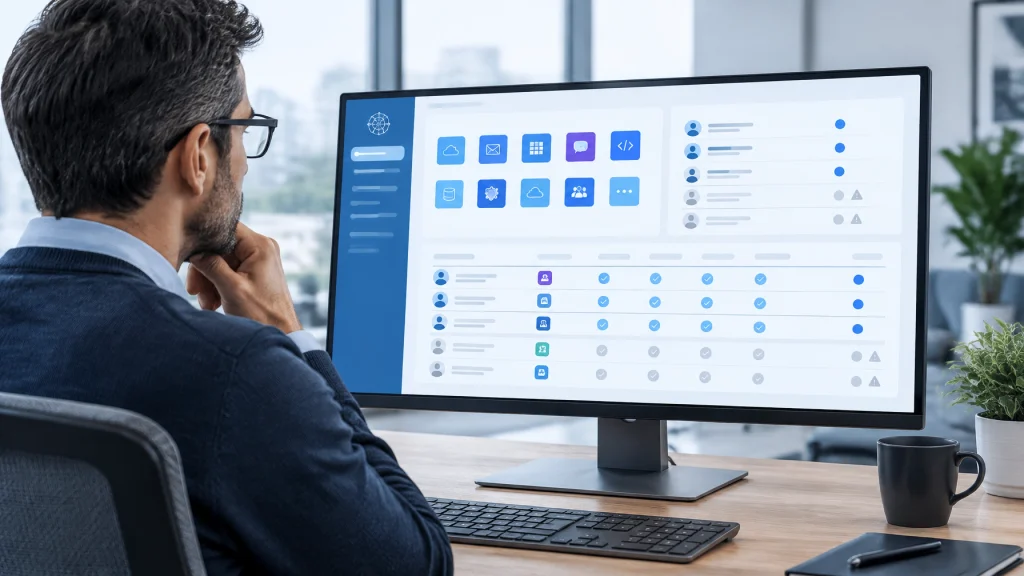
A checklist is only as reliable as its inventory and follow-through. Quarterly access reviews help surface accounts with no active owner, users with excessive permissions, and exceptions that have quietly become permanent. Reviews should cover applications that sit outside centralized identity management, not only the systems that are easiest to audit.
MONITOR THE ACCOUNTS THAT SHOULD BE QUIET
Deprovisioning reduces exposure; monitoring helps find what the process missed. Treat unexpected sign-ins to dormant, disabled, or ownerless accounts as a detection priority. Review context such as sign-in time, source, device, application, location signals, and whether the account has elevated privileges. Investigate before restoring access or dismissing the event.
For shared and service accounts, document an owner, purpose, approved use, and review date. Rotate credentials when a departing employee knew them, but first identify dependencies so a rotation does not disrupt business operations. Where possible, replace shared human logins with individual accounts and stronger accountability.

TURN A DEPARTURE INTO A CONTROL YOU CAN VERIFY
Good offboarding protects more than accounts. It reduces the chance that former access can expose customer data, interrupt operations, or create avoidable audit and compliance gaps. It also gives HR, IT, and security a shared process, with named owners and evidence that the work was done.
Cenova Cyber helps organizations strengthen security operations, monitor risk, and build accountable governance. Our managed cybersecurity services can support ongoing security monitoring and risk management, while our vCISO services help establish policies, responsibilities, and a practical roadmap for identity lifecycle controls.
Contact Cenova Cyber to request a free risk assessment. We’ll help you identify where employee access may outlast the employment relationship, and prioritize the steps that close those gaps.