
7 Mistakes You’re Making with the 2026 HIPAA MFA Overhaul (and How to Fix Them)

The regulatory landscape for healthcare has shifted. If you are still operating under the “best effort” mindset of 2024, you are already behind. As we cross into the second half of 2026, the Office for Civil Rights (OCR) has made one thing abundantly clear: Multi-Factor Authentication (MFA) is no longer optional.
The era of “addressable” safeguards is over. In the eyes of federal auditors, MFA is now a foundational technical requirement for every system that touches electronic Protected Health Information (ePHI). Whether you are a small practice in Tampa or a nationwide healthcare provider, the 2026 HIPAA Security Rule updates have turned the “nice-to-have” security into a “must-prove” compliance mandate.
At Cenova Cyber, we are seeing SMBs struggle with this transition. It’s not just about turning on a setting: it’s about architecting a defensible security posture.
Here are the 7 biggest mistakes we see healthcare organizations making with the 2026 MFA overhaul: and exactly how to fix them.
1. THE “EHR-ONLY” SCOPE BLIND SPOT
Many practices think that because their Electronic Health Record (EHR) system requires a code to log in, they are compliant. They are wrong.
The updated HIPAA Security Rule requires MFA for every interactive workforce access point that involves ePHI. This includes your email (where doctors and staff often share patient notes), your billing portals, cloud storage like OneDrive or Dropbox, and even your administrative dashboards.
THE FIX: Conduct a comprehensive data inventory. You cannot protect what you haven’t mapped. Identify every single entry point where ePHI is accessed, stored, or transmitted. If it’s an “interactive” login, it needs MFA. No exceptions.
2. RELYING ON WEAK, SMS-BASED AUTHENTICATION
In 2026, not all MFA is created equal. While text message codes were the standard five years ago, they are now considered “weak” by modern security frameworks. Phishing attacks and SIM-swapping have made SMS codes an easy target for sophisticated threat actors.
OCR’s current enforcement posture heavily favors “phishing-resistant” MFA. If you are still relying on staff to read a code off a text message, you are leaving a back door open for ransomware.
THE FIX: Transition to push notifications or hardware keys (like FIDO2/YubiKeys). App-based authenticators are more secure, more reliable, and: most importantly: harder for hackers to intercept.

3. THE “LEGACY SYSTEM” EXCUSE (IT WON’T FLY ANYMORE)
We hear it all the time: “Our legacy imaging software doesn’t support MFA.” In previous years, you might have been able to document this as a known risk and move on. In 2026, that excuse has expired.
OCR auditors are increasingly skeptical of “technical limitations” as a reason for non-compliance. If your current software can’t support modern security standards, the expectation is that you either implement a compensating control (like a secure MFA gateway) or replace the system entirely.
THE FIX: If a system truly cannot support MFA, you must put it behind a secure portal or VPN that does require MFA. This creates a “wrapper” around the legacy tool, ensuring that no one can even reach the login screen without first passing a multi-factor check.
4. THE DOCUMENTATION VOID: IF IT ISN’T WRITTEN, IT DIDN’T HAPPEN
This is the mistake that kills SMBs during an audit. You might have MFA enabled for 100% of your staff, but if you don’t have the paperwork to prove it, you’re looking at a violation.
The 2026 updates require evidence of enrollment and ongoing enforcement. You need logs showing that every user is enrolled, and you need a policy that defines exactly how and when MFA is used.
THE FIX: Maintain a real-time compliance folder. This should include your MFA policy, enrollment records, and logs of successful and failed MFA attempts. When the OCR knocks, you want to hand them a clean, organized digital binder: not a list of excuses.
TRUSTED SOLUTIONS : PROVEN RESULTS
Don’t guess where your gaps are. Our Security Risk Assessment services are designed specifically to catch these HIPAA compliance holes before an auditor does. We help you move from “we think we’re safe” to “we know we’re compliant.”
5. PASSING THE BUCK TO VENDORS
Many SMBs assume their IT vendor or software provider “handled it.” But your Business Associate Agreement (BAA) doesn’t absolve you of your responsibility to verify. If your billing company gets breached because they didn’t use MFA, the OCR will still look at your oversight of that vendor.
THE FIX: Review your BAAs and demand proof of security. Ask your vendors specifically: “How are you enforcing MFA on the systems that host our data?” If they can’t provide a clear, technical answer, they are a liability to your practice.

6. IGNORING INTERNAL ADMINISTRATIVE ACCOUNTS
We often see organizations secure their clinical staff but leave their “admin” or “service” accounts with just a password. These are the “keys to the kingdom.” If a hacker compromises an administrative account, they can often bypass security for the rest of the organization.
THE FIX: Apply the strictest MFA policies to your IT admins and office managers first. These accounts should use the most robust factors available, such as biometrics or physical security keys.
7. THE “WAIT AND SEE” STRATEGY
The most dangerous mistake you can make is waiting for a final ruling or a specific audit letter to arrive. The 2026 HIPAA MFA overhaul isn’t a future problem: it’s a current requirement that is being enforced now through the lens of existing risk management rules.
The cost of implementing MFA today is a fraction of the cost of a HIPAA fine or a ransomware payout in six months.
THE FIX: Start your Security Risk Assessment Today. Getting an expert eyes-on review of your environment is the only way to ensure you haven’t missed a critical access point.
THE CENOVA CYBER ADVANTAGE: FOCUS ON YOUR BUSINESS: NOT MONITORING LOGS
Security shouldn’t be a burden that slows down your patient care. Our team at Cenova Cyber LLC specializes in “hassle-free” compliance. We don’t just tell you what’s wrong; we partner with you to fix it.
Whether you need to overhaul your identity management or you just need to pass your next audit with flying colors, we have the proven expertise to get you there. We’ve spent over two decades helping organizations navigate the complex intersection of IT and regulation.
WEAPONS OF CHOICE: OUR COMPLIANCE TOOLKIT
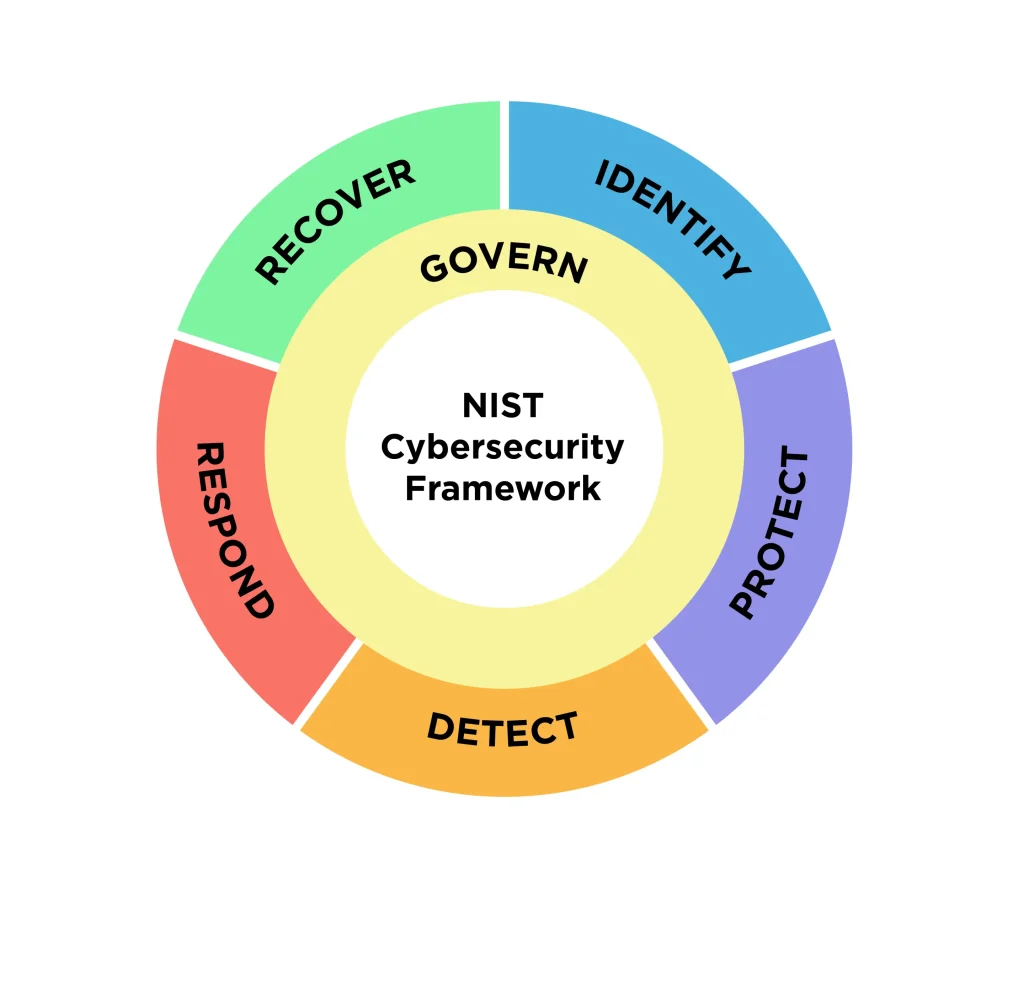
Our approach follows the NIST Cybersecurity Framework, ensuring your protection is resilient, documented, and auditor-ready.
YOUR NEXT STEPS
The 2026 landscape is unforgiving to those who ignore the basics. MFA is the most effective tool in your arsenal to prevent unauthorized access and maintain HIPAA compliance. Don’t let a simple login be the reason your practice ends up in the headlines.
CONTACT US TODAY to schedule your comprehensive Security Risk Assessment. Let’s ensure your business is resilient, compliant, and ready for whatever 2026 throws your way.
Click here to secure your practice.